


User Manual
Menubar
Menubar settings allow ye t' configure how th' menubar behaves in OnSong by settin' th' followin' options:
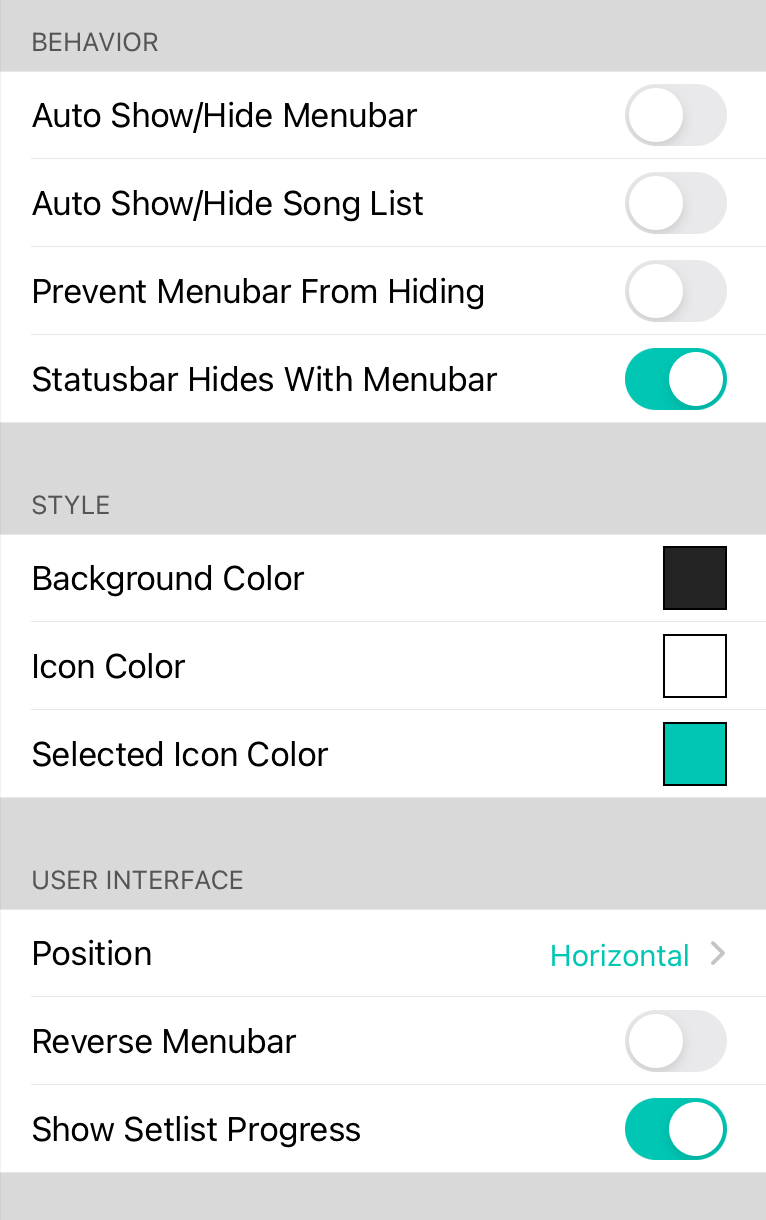
Auto Show/Hide Menubar
This switch allows th' menubar t' automatically hide when a song be picked usin' th' Songs Menu. Tappin' in th' middle o' th' screen can then show th' menubar again. If Auto Show/Hide Song List be enabled, showin' th' menubar will also open th' song list. Default be off.
Auto Show/Hide Song List
This switch allows th' song list t' automatically hide when a song be picked usin' th' Songs Menu. Th' song list can be opened again by tappin' on th' Songs button, through an action or by showin' th' menubar when hidden. Default be off.
Prevent Menubar From Hidin'
Th' visibility o' th' menubar automatically toggles on and off when ye tap in th' middle o' th' song viewer. Ye can disable any kind o' menubar togglelin' by turnin' on this option. Th' first time th' user taps in th' middle o' th' screen, a prompt appears t' configure this settin'. Default be off.
Reverse Menubar
Some users prefer t' have th' Songs Menu on th' right o' th' screen. Ye can flip th' menubar t' mirror its contents by turnin' this option on. Default be off.
Show Setlist Progress
OnSong can now display a thin, teal line in th' menubar t' indicate th' progress through a set list. Ye can toggle this settin' t' turn off th' progress bar.
Vertical Menubar
This option places th' menubar on th' left or right side o' th' screen, allowin' menus t' appear from th' side, or t' be pinned into a split-screen configuration. This allows th' menus t' remain on screen during use.
Background Color
Th' background color o' th' menubar that appears in th' song viewer. This can be used t' reduce th' transparency o' th' menubar.
Icon Color
Th' color o' icons that appear on th' menubar in th' song viewer.
Selected Icon Color
Th' color o' icons selected in vertical menubar mode.


