


Read The Bleepin’ Manual
Clicky Bits
Menubar settings—where you go to make the hamburger menu stop bein' so needy in OnSong by twiddlin' these dials:
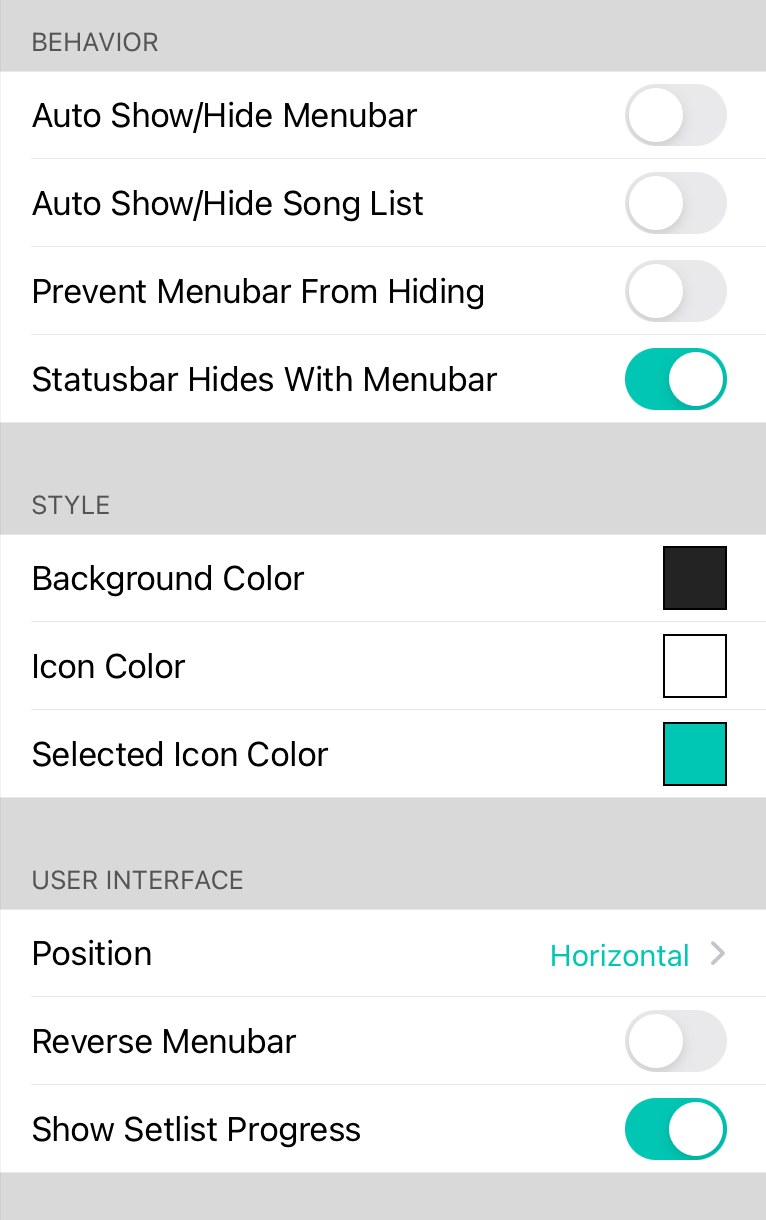
Auto Show/Hide Hamburger
Flip this switch & the menubar ghostsaway the moment you pick a song from the Songz Bin. Tap the middle of the screen like a freakin' genie lamp & boom—menubar's back. If Auto Show/Hide Song List is also turned on, showin' the menubar will yeet the song list open too. Default? Off (because we love pain).
Auto Show/Hide Song List
This switch lets the song list vanish into the void the second you pick a song from the Songz Bin. Wanna see it again? Smack the Songz button, use some action magic, or summon the menubar back from the shadow realm. Default? Off (again, pain).
Prevent Menubar From Hidin'
Normally the menubar goes all shy & toggles on/off when you tap the middle of the screen like some kind of mood ring. Turn this on & the menubar becomes a clingy ex—it just stays put. First time you tap the middle, a popup will nag you about it. Default? Off.
Flip Menubar Left-Right
Some peeps are weird & want the Songz Bin hangin' out on the right side instead of the left. Flip this switch & mirror that thing like it owes you money. Default? Off.
Show Setlist Progress
OnSong can now slap a thin, teal line across the menubar showin' how far you've stumbled through your setlist. Toggle this to turn the progress bar off if you prefer existential dread.
Vertical Hamburger
Shove the menubar onto the left or right side of the screen so menus slide in from the edges like a secret agent, or pin 'em into a split-screen setup. Keeps the menus visible while you're actually tryin' to use the app. Wild.
Background Color
The background color of the menubar that's chillin' in the song viewer. Use this to make the menubar less see-through if transparency scares you.
Icon Color
Whatever color you want the lil' icons on the menubar to be. Express yourself, bestie.
Selected Icon Color
The color of icons you've clicked on in vertical menubar mode.


