


Gebruikershandleiding
Acties
0:00
Acties zijn taken die kunnen worden uitgevoerd door op een voetpedaal te drukken, het scherm aan te raken of door andere invoer in OnSong. Sommige acties kunnen verder worden geconfigureerd om te veranderen hoe de actie wordt uitgevoerd.
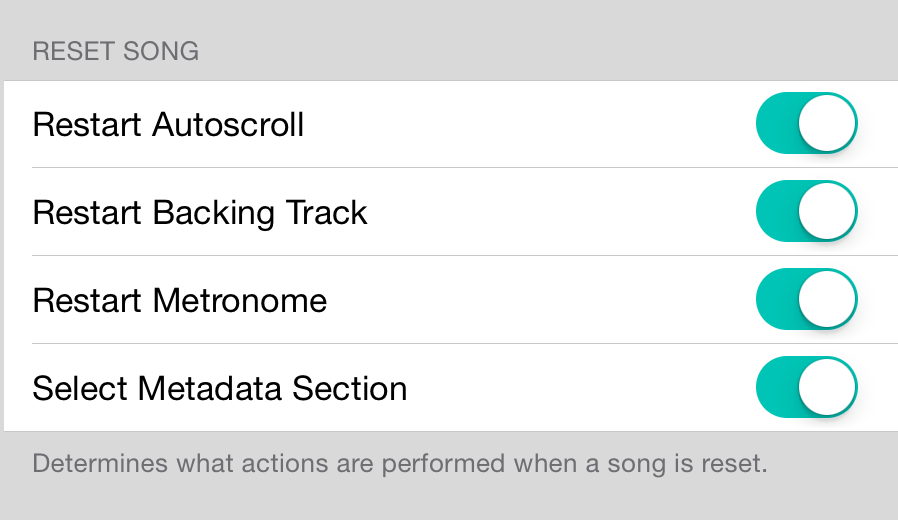
Nummer opnieuw instellen
De actie voor het opnieuw instellen van een nummer wordt gebruikt om "vanaf het begin" te gaan en een nummer opnieuw te starten. Dit is perfect voor oefenen. Terwijl het nummer altijd naar de bovenkant van de nummerkijker wordt gescrolld, kunnen ook andere acties plaatsvinden, inclusief:
- Autoscroll opnieuw starten zorgt ervoor dat autoscrolling doorgaat nadat het nummer naar de bovenkant is gescrolld. Als autoscroll niet eerder actief was, wordt het niet gestart. Als dit is uitgeschakeld, moet autoscroll opnieuw worden in-/uitgeschakeld.
- Achtergrondspeellijst opnieuw starten zorgt ervoor dat de gekoppelde achtergrondspeellijst vanaf het begin begint. Dit gebeurt ongeacht of het spoor actief wordt afgespeeld of niet. Als het spoor werd afgespeeld, wordt het alleen vanaf het begin van het spoor afgespeeld.
- Metronoom opnieuw starten zorgt ervoor dat de metronoom vanaf de eerste maat begint als deze al wordt afgespeeld.
- Metagegevenssectie selecteren selecteert de eerste sectie van het nummer en activeert daardoor MIDI-events en scenes die aan het nummer zijn toegewezen.
OnSong 2026 — Laatst bijgewerkt op September 9, 2015


