


ユーザーマニュアル
描画
0:00
これらの設定を使用して、描画との相互作用方法を決定できます。以下の設定があります:
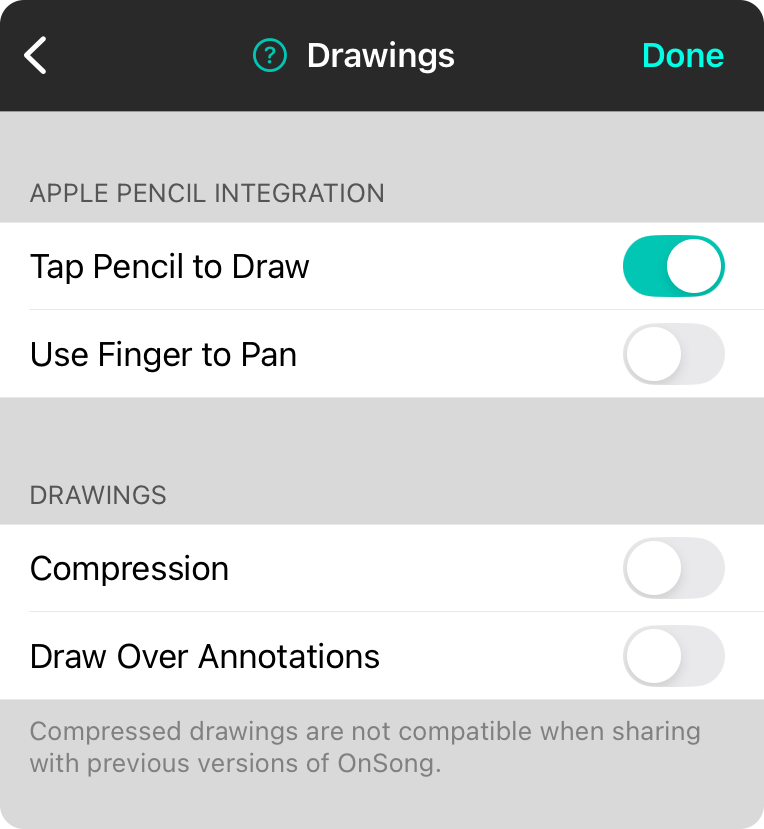
Apple Pencilをタップして描画
このオプションにより、Apple Pencilを OnSongと統合できます。注釈メニューに移動する必要なく、Apple Pencilで画面をタップして描画モードに切り替えることができます。デフォルトではオンです。
指でパンする
このオプションにより、Apple Pencilと指で描画キャンバス領域をパンする間で切り替えることができます。デフォルトではオフです。
圧縮
描画は曲線とポイントデータとして保存され、描画のサイズに応じて、かなり大きくなる可能性があります。この機能により、このデータを OnSongライブラリで圧縮して、OnSongライブラリのサイズを小さく保つことができます。デフォルトではオフです。
注釈の上に描画
描画は通常、コンテンツの上に配置されますが、注釈の下にあります。このスイッチを有効にすると、注釈の上に描画できます。デフォルトはオフです。
OnSong 2026 — 最後に更新: December 16, 2025


