


Read The Bleepin’ Manual
Yell at Us

If you're in a jam or somethin' ain't workin', fill out this form & let the OnSong support squad work their magic. ZOMG, we promise we'll try our best!
Email Address
Your email auto-populates here like magic from your account info. First time submittin' a support request? Get ready to add OnSong Support to your contacts so our replies don't end up in your spam folder (rude, we know). You can peep more deets about gettin' our emails to actually reach you.
Full Name
Your name auto-fills from your signed-in account so we can be all buddy-buddy when we chat with you. Srsly, we're tryin' here.
Subject
Drop a quick lil' description (50 characters, max—we can't read anyway) of what's blowin' up so we route it to the support agent who won't make it worse.
Steps to Replicate
THIS IS THE BIG ONE, y'all! Tell us what's goin' haywire, then spell out the exact moves you're makin' that break it. Show us what should happen vs. what's actually happenin'. Get specific, but don't write us a novel—we got other peeps waitin' & long-winded messages slow us down, ngl.
Real talk: if we can actually understand your issue & how to make it happen ourselves, we can help you way faster. Screenshot it. Record your screen. Show us the goods! Most delays? That's us bouncin' messages back & forth tryna figure out what you even mean. Do yourself a solid & capture that info now so we don't gotta play 20 Questions.
Files
 Upload stuff here, snap a pic with your camera, or record your screen & send it our way. You can throw multiple files at us if you're feelin' generous.
Pro tip: we're begging you to include a screen recording, screenshot, or somethin' visual. Seriously. It cuts the back-and-forth yammerin' & gets us to fixin' your issue way faster. We're now naggin' you extra hard to make sure you don't submit without attachments, because we learn.
Files start uploadin' the second you add 'em. Each one says "Uploading…" with a lil' progress bar 'til it's done, then it shows the size. Uploads keep truckin' even if you bounce outta this screen. If the app crashes or you force-quit it, uploads pick back up when you come back. We got your back like that.
Song/Set/Book
OnSong's gonna auto-attach whatever set or book you had open, plus the song you were vibin' with when you tapped into this screen. Wanna change which set, book, or songs we're sendin'? Tap this field & swap 'em out.
Premium Support
Fillin' out this form is your ticket to our standard support queue. We handle requests in the order they roll in. But if you're feelin' fancy & upgrade to Fast Track? Boom. Your request jumps to the front of the line & gets the VIP treatment ahead of literally everyone else.
Send
Once you're done playin' around, the Send button lights up like a Christmas tree. Hit it & we'll get your whole library, diagnostics, & all your form answers. We'll use all that combined intel to figure out what's breakin', give you some wisdom, or yell at our developers to fix it.
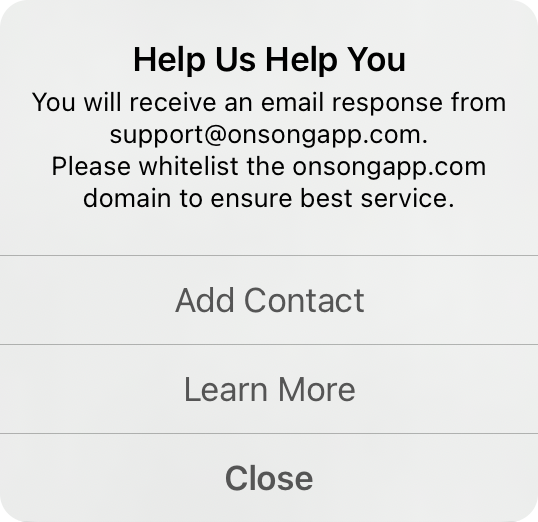
First time contactin' support? We'll ask you to add OnSong Support as a contact so our emails don't get ghosted as spam. We can auto-add 'em for you if you say yes, or you can learn more if you're paranoid.
Close this screen with the X button up top after you've typed stuff or added files? We'll ask if you wanna save it via an Unsaved Changes prompt. Tap Keep to save your request & uploads so you can finish later—even after the app restarts. Tap Discard to nuke it all & start over.
Crash Logs
Gettin' crash loops? Sendin' us crash logs is clutch for diagnosis when things go super sideways. Apple's security drama means we can't snag these through the normal diagnostics channel, so do these steps instead to ship your crash logs directly to OnSong.
Your email & name get saved to your OnSong account if you haven't spilled 'em before.


