Kullanıcı Kılavuzu
Akor Diyagramları Widget'ı
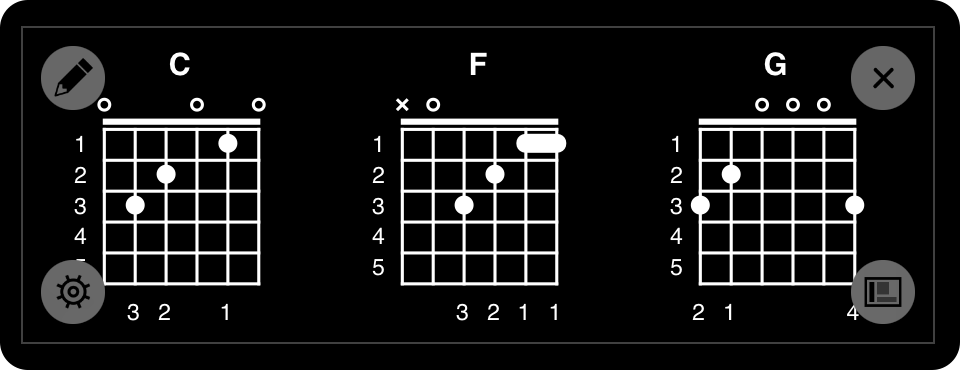
 Daha sonra akor şeması widget'ı, şarkı görüntüleyicisinde şarkının görünür akor şemalarını göstermek için esnek bir kullanıcı arayüzüdür. Widget'ı ekranın herhangi bir yerine taşıyabilir ve bir kenar veya köşeye yerleştirebilirsiniz.
Yerleştirme
Widget'ı ilk etkinleştirdiğinizde, ekranın altına yerleştirilir veya kenetlenir. Widget'ı, yapılandırma moduna girmek için üzerine dokunarak taşıyabilirsiniz. Oradan, ekranın çevresinde hareket ettirmek için parmağınızı veya fareyi kullanabilirsiniz. Ayrıca widget'ın boyutunu ve şeklini değiştirmek için ekranda iki parmak (iOS/iPadOS) veya trackpad (macOS) kullanabilirsiniz.
Ayarlar
Yapılandırma modundayken, sol alt köşedeki düğme akor şeması widget'ına özgü ayarlara erişim sağlar.
Yerleştirme
Sağ alt köşede yerleştirme düğmesi bulunur. Bu, widget'ı ekranın çeşitli konumlarına boyutlandırma ve yerleştirme seçenekleri sağlar.
Gizle
Bu oldukça açık. Widget'ı gizlemek için sağ üst köşedeki X düğmesine dokunmanız yeterlidir. Widget'lar Menüsünü kullanarak bunu tekrar gösterebilirsiniz.
Düzenle
Her widget'ın widget tarafından yönetilen içeriği yapılandırmanın farklı yolları olabilir. Akor şeması widget'ı, akor şeması düzenleyicisini görüntüleyen bir düzenleme düğmesine sahiptir.